

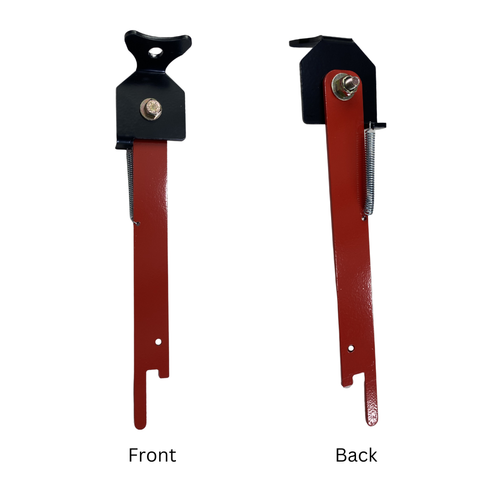
Spring Brake Thingy 2018+ Can-am Maverick Sport & Trail | Can-am Commander Parking brake
Fitment:
- 2018+ Can-am Maverick Sport & Trail
- 2018+ Can-am Commander
The Parking Brake fits all 2018 and newer Can-Am Maverick Sport, Trail, and Commander models. It does NOT fit X3 models and does not have a locking feature.
Installation takes about 10 minutes. Simply remove the 13mm bolt on the backside of the steering box, using the mounting bolt already there. Position the parking brake bracket with the “V” notch facing up and the red arm at the bottom of the steering box mount.
Before fully tightening the bolt, make sure the “V” bracket is properly seated in the pocket of the housing, then tighten the bolt securely.
To engage the brake, press the brake pedal with your left foot and use your right foot to slide the red arm onto the pedal. To release it, simply press the brake pedal again. When parking on a hill, always engage the parking brake before putting the transmission into Park.
NOTE:
- ALWAYS USE PARK WITH THE SPRING BRAKE THINGY AND MAKE SURE YOUR BRAKES ARE IN GOOD WORKING CONDITION.


