

Product Information
BRAND:
Aftermarket Assassins
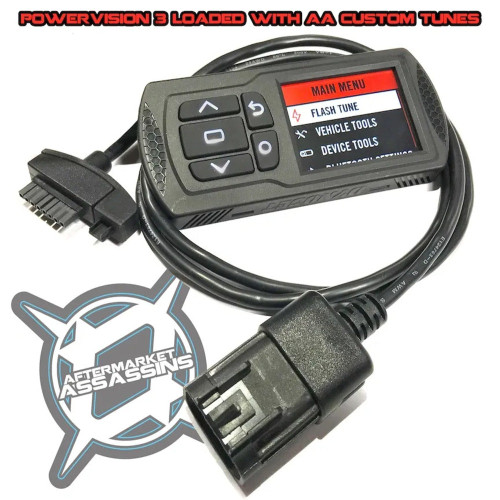
This tune update is for customers that already have the Powervision and an AA custom tune for the Kawasaki Ridge 1000
This update charge covers all tunes built for each specific PV3/ECU. If you have multiple machines/ECUs/PV3s each one will need the update purchased
- New feature unlocked as of March 2026: We now have the ability to desensitize the belt slip detection system, which is extremely sensitive. The factory setting immediately puts the machine into limp mode when any amount of belt slip is detected. This is especially annoying for those with the heavier Crew models or those running larger size tires. We turn down the sensitivity enough to be able to get up those slight inclines but still maintain the safety feature so if an abnormal amount of belt slip is detected it will still limit throttle to protect against excessive wear.
- We need you to send your PV_INFO.txt file to us before we can update and send your tune(s). For more information on how to get this: See the below description or this VIDEO (PV3 only in video).
- Tunes are said to "Ship for free" but will actually be e-mailed over to you within 24 hours of placing your order (Weekdays only).
- Not good with computers? No problem. Simply send us your Powervision (PV3 only) and we'll install the updated tune(s) for $25 which includes the shipping back to you.
- PV3 Users to send PV_INFO: To get your PV_INFO number simply plug your Powervision into your computer (No software is needed and this will work on an Mac or Windows computer) using the supplied mini USB cord. Wait for the POWERVISION device to pop up as a drive. Once it pops up, open the folder for this device. Inside the folder for the POWERVISION you will see a PV_INFO file which will need to be attached into an e-mail and sent to aftermarketassassins@gmail.com
- PV4 Users to send PV_INFO: With your PV4 connected and app open on your phone, Hit "Scan" to search for your connected PV4. Tap on the "Dynojet PV4". Your Connected Vehicle should show your VIN and ECU information. (Verify this information matches your vehicle) Select the share icon next to "Connected Vehicle". Select your e-mail app (Gmail, Yahoo, etc.). This will open a new e-mail with the attached PV4/ECU information. In the "To" line, fill in with aftermarketassassins@gmail.com. In the "Subject" line, fill in with your name & invoice #. Please note that if your e-mail associated with your PV4 account is different than the e-mail you are using to send the info, please make special note of this and attach the e-mail associated with your PV4 account. Send the e-mail and await further instructions when we send your tune file(s).
- PV3 Users to download tune(s): Simply download the tunes from the e-mail we send and find where they are located (usually the DOWNLOADS folder). Copy the tune files by highlighting them and plug your Powervision into your computer using the supplied mini USB cable. Wait for the POWERVISION to connect and open the POWERVISION drive. Then simply copy the downloaded AA tunes into the main POWERVISION folder with the rest of your supplied DynoJet tunes.
- PV4 Users to download tune(s): Open the Power Vision 4 app on your phone. If you currently have the app open when we send the tune(s), you will need to completely close out of the app and re-open it. At the top should be a "There are shared invitations" notification. Tap on this. Tap on "Accept" to accept the tune(s) from Aftermarket Assassins. Tap on "Tunes". The new tune(s) will now be listed at the top under "My Tunes". DynoJet's tunes will be listed below (If applicable for your model). Tap on the tune that you want to flash. Tap "Flash Tune" If a License is needed for your vehicle, a "Redeem token" message will appear. Click "Yes" if you wish to purchase and redeem a License token for your vehicle.
- Tunes are password protected so you will not be able to open or view them in the C3 tuning software. This keeps our tunes protected from copying, and gives us a good reason to keep putting in the time to make the best tunes out there!
- If you have any other needs in these tunes, or any concerns; please e-mail!